Step-by-Step Guide to Access IMPACT CiviCRM
IMPACT Initiatives CRM utilizes the CiviCRM open-source tool, specifically designed for non-governmental organizations (NGOs), to streamline communication, track partnerships, and manage relationships. This tool is integral to IMPACT’s mission of fostering effective collaboration and ensuring smooth coordination across its various initiatives.
Step 1: To begin, download the CiviMobile app to your smartphone. This app is available on both the App Store (for iOS devices) and Google Play Store (for Android devices). Simply search for “CiviMobile” and install the app.
Step 2: Once the app is installed, open it on your smartphone. You will be prompted to enter the website for IMPACT CiviCRM.
- Directly enter the following URL into the app’s domain field: https://crm.impact-initiatives.org/
- Alternatively, you can scan the QR Code located at the bottom-right corner of the IMPACT CiviCRM website to quickly access the platform. This option provides a faster and more efficient way to connect directly to the CRM system.
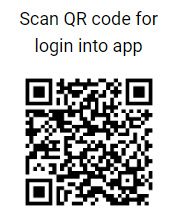
Once logged in, you will have full access to the IMPACT CRM, which will allow you to liaise seamlessly with our partners and staff and enable more effective action in the field. This tool is designed to enhance the data management capabilities of our organization, ensuring that we can better support our missions in crisis-affected regions by connecting people, data, and resources efficiently.
If you encounter any issues or need additional assistance, please feel free to contact us HERE.